

 Home
HomeStore and retrieve encryption keys from Turnkey’s secure enclave with policy-controlled access. Your infrastructure holds encrypted data and Turnkey holds the encryption key. Neither party alone can access plaintext. For an overview of Turnkey’s key management capabilities, see the Key Management Overview.Documentation Index
Fetch the complete documentation index at: https://turnkey-0e7c1f5b-graham-docs-revamp.mintlify.app/llms.txt
Use this file to discover all available pages before exploring further.
Powered by Turnkey
- World App (by Tools for Humanity) — encrypts each user’s recovery bundle on-device and stores the encryption key in Turnkey’s secure enclave, gated by user authentication via OAuth. View on GitHub.
Key implementation decisions
| Decision | What to consider | Learn more |
|---|---|---|
| Export controls | Gate key export through policies. Require quorum approval, restrict which users can trigger export, or scope export to specific key IDs. | Policy Engine, Root Quorum |
| Authentication method | Choose how users authenticate to access keys: API keys, passkeys, social logins, email, or SMS OTP. Match the method to your security and UX requirements. | Authentication Overview |
| Encrypted data storage | Store encrypted bundles wherever you control: client-side (localStorage, IndexedDB), mobile secure enclave, your database, or object storage (S3, GCS). Turnkey only holds the encryption key. |
Example: backup and recovery
A common pattern for applications: encrypt recovery bundles, store them in your infrastructure, and authenticate through Turnkey to decrypt when needed. No single party holds both the encrypted data and the decryption key.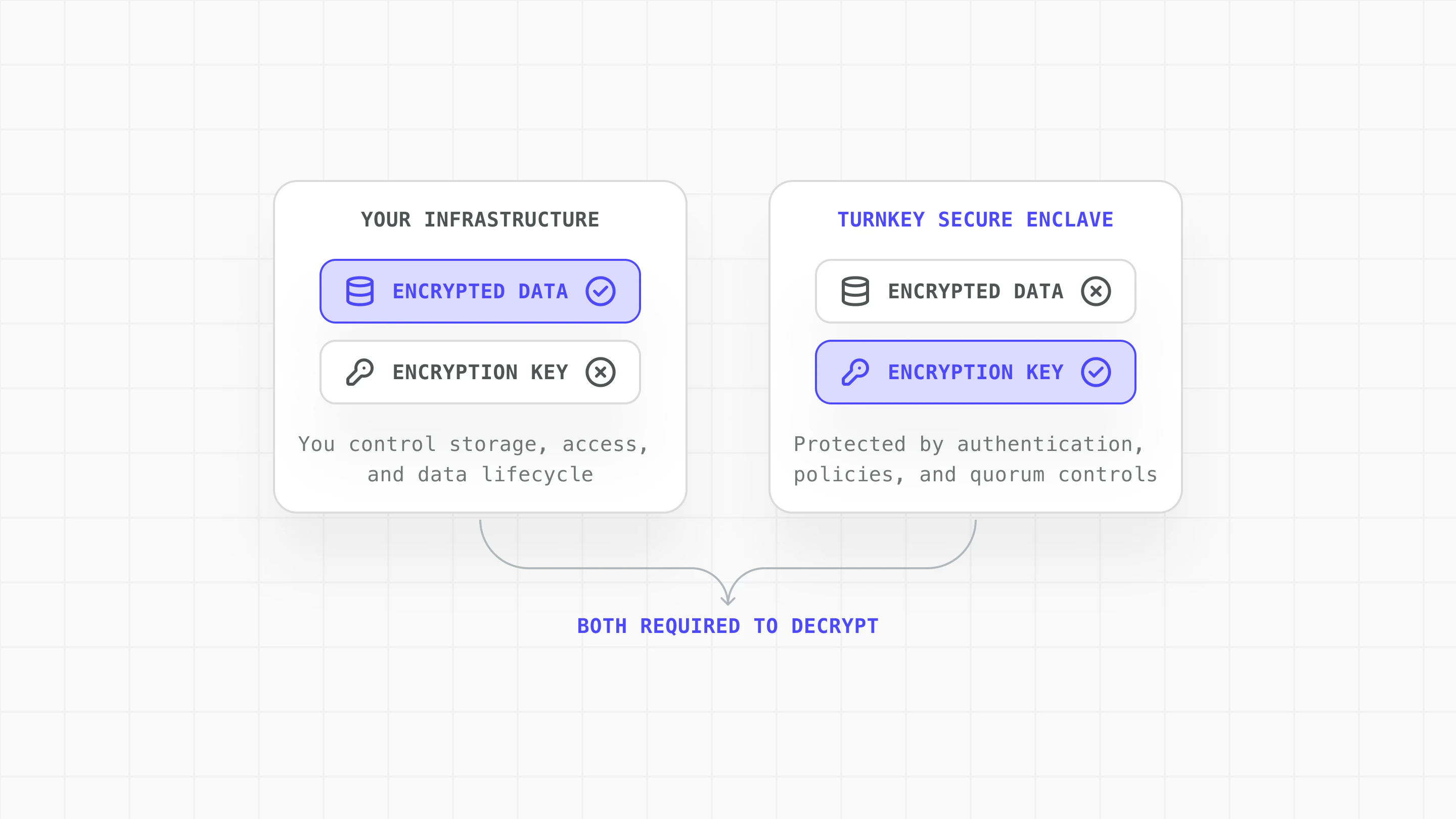
| Need | How Turnkey solves it |
|---|---|
| Risk separation between platforms | Turnkey never sees the encrypted data; your infrastructure never sees the encryption key. Both must be compromised. |
| Decrypt recovery bundles without managing keys directly | Encryption key lives in the enclave; authenticate to export it on demand |
| Caller retains control | Only the caller’s authenticator (passkey, email, social login) can trigger key export |
| Policy-gated access for sensitive operations | Quorum approval, scoped export policies, and audit trails for every key operation |
Implementation steps
Explore the complete implementation in the GitHub encryption-key-escrow example.
Create encryption keypair
Generate a P-256 keypair in Turnkey using createPrivateKeys. The private key is stored in Turnkey’s secure enclave and never exposed.
Encrypt data locally
Use the public key to encrypt sensitive data on your side. Turnkey never sees the plaintext or the encrypted result:
Authenticate and export decryption key
Authenticate the user through your normal auth flow, then request the encryption private key from Turnkey using exportPrivateKey:Use Turnkey’s policy engine to add controls on key export:This example requires two approvers for any export of the encryption key, adding human oversight to sensitive operations.